
Dumpster Rental Software: everything DumpsterVibes does
One platform for roll-off dumpsters, compactors, junk removal, portable toilets, front-load and curbside routes: booking, dispatch, drivers, billing and growth.
Services you can run
Each service is a module you switch on. 2 are included; each extra one raises your fee breakpoint and monthly maximum by $39.00 a month, never a charge of its own. See pricing.
Every module keeps its own inventory, schedule and tracking. Each screen (Dispatch, Bookings, Inventory, Invoices, Reports and more) shows one module or All of them merged, and you choose per screen.
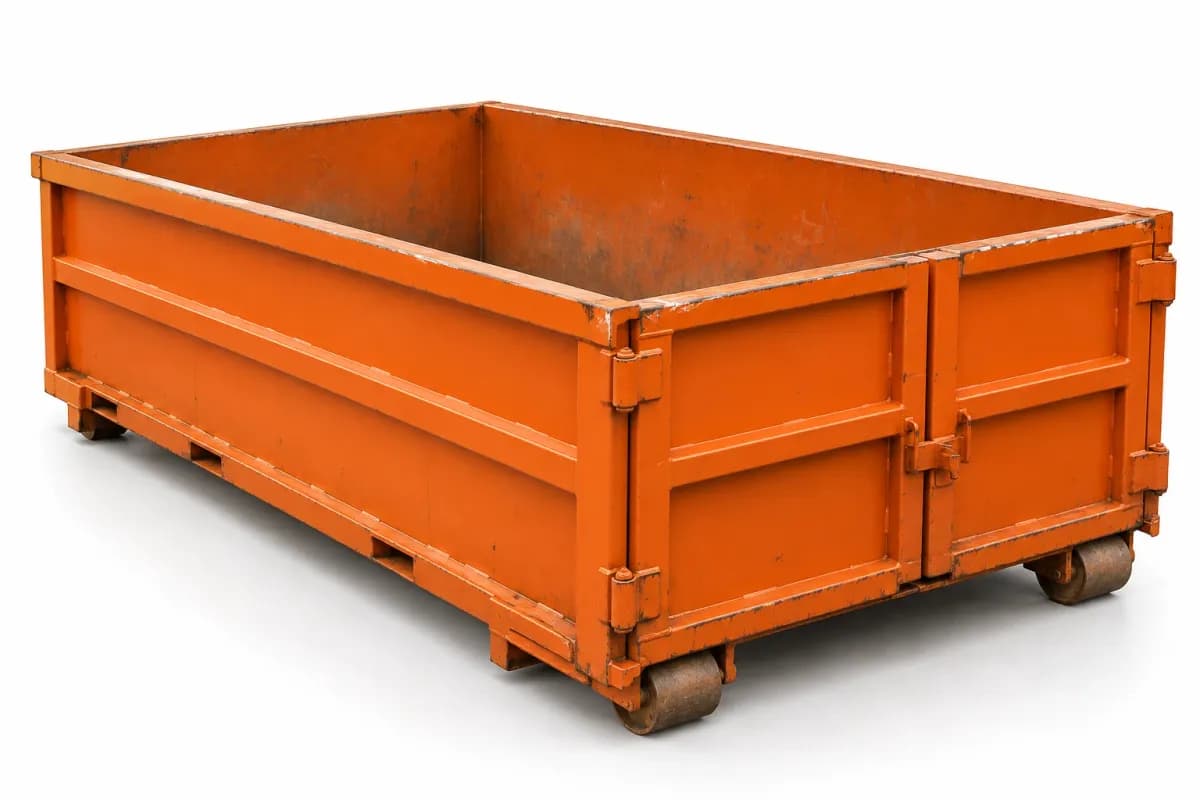
Roll-off dumpsters
Book, deliver, swap, dump and return, and pick up roll-offs. Every can is tracked by asset number, rental days and overage price themselves, and the weight ticket closes the bill.
Everything it does ↓
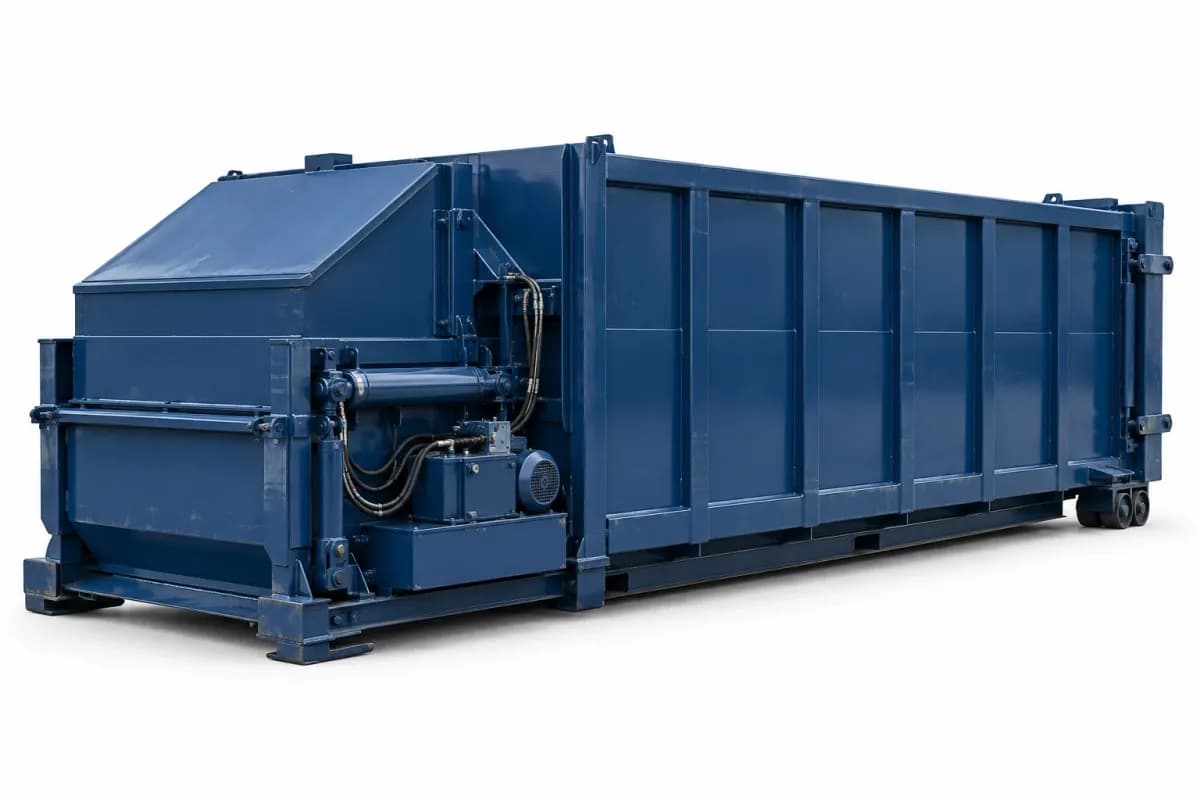
Compactors
The units you own and the ones your customers own: where each one sits, its hauls, standing haul plans and preventive-maintenance visits, on Inventory, Bookings and Dispatch alone or merged with your other modules.
Everything it does ↓

Junk removal
Customers get an online estimate by load size and special items. The crew builds the final price at the curb, the customer signs on the phone, and the card is charged.
Everything it does ↓
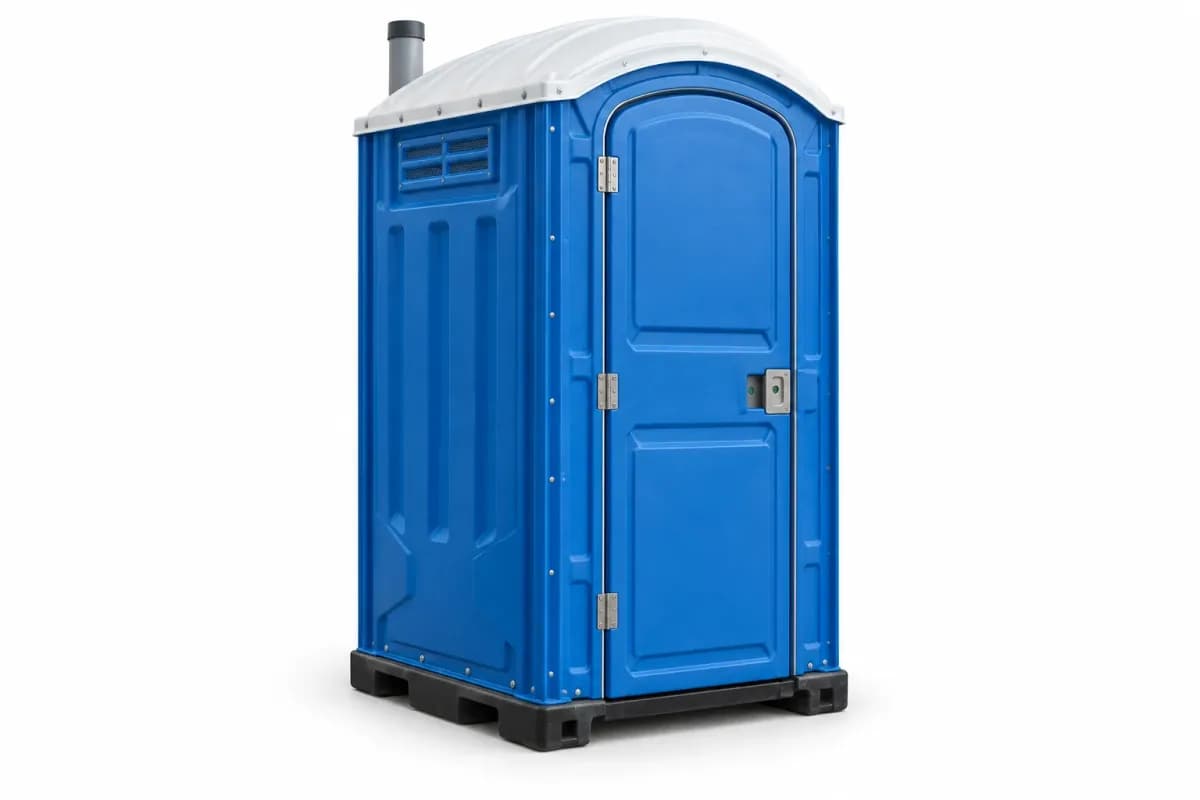
Portable toilets
A unit catalog (standard, ADA, hand-wash and sanitizer stations), owned units out versus in the yard, haul limits and daily delivery caps, deposits, online orders or requests, and automatic cleaning visits.
Everything it does ↓
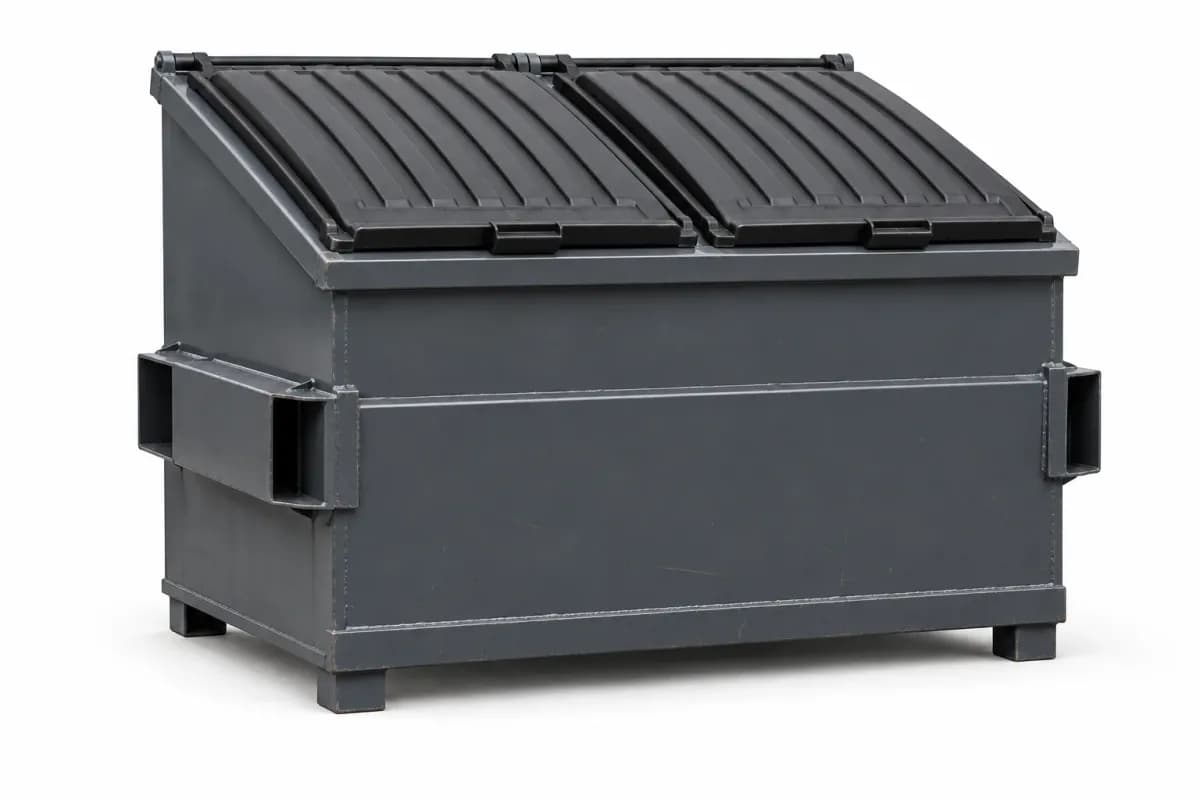
Commercial front-load
Commercial accounts with lid-top containers on recurring routes: service requests, what-if route planning, route replay and recurring billing.
Everything it does ↓

Curbside trash
Homes with carts on weekly routes: sign-up pages, a flat monthly rate with extra-cart fees, area alerts to residents, route replay and recurring billing.
Everything it does ↓
On for every company
Roll-off dumpsters
The flagship. Roll-off rentals from the first click to the last weight ticket, on one booking record.
Online booking
Customers find their address, pick a size from cards that already include delivery and mileage, choose a rental length and a day you have open, e-sign your terms and pay. No phone call and no account needed.
Rental length and extra days
Price by the rental period with a per-day rate after it. Customers can add days or ask for an early pickup from their tracking link, and extra days charge the card on file.
Every kind of haul
Delivery, pickup, swap, dump and return, relocate, live load and dump runs are all job types on the dispatch board, and swaps or dump-and-returns can be put on a standing plan.
Per-can inventory
Each can has an asset number. The driver records it at delivery and pickup, the live map shows where every can sits, and the office sees how long it has been out.
Weight tickets and overage
At the scale the driver enters the ticket and a photo. Tonnage over the size's allowance bills itself at your overage price, and the job closes.
Customer-owned containers
A roll-off your customer already owns is recorded on their profile and serviced as a dump-and-return haul, on call or on a repeating schedule, billed off the weight ticket.
Several cans, one order
Contractors can book several roll-off dumpsters to one site in a single checkout, each with its own delivery, tracking and receipt (when you turn it on).
Module: switch it on in Settings
Compactors
Compactors are their own module: the units, their hauls, their maintenance and the accounts behind them, on one Compactors page.
Your units and theirs
Track compactors you rent out and ones your customers own. Each unit shows where it sits, who it's with and its next booked work. Inventory, Bookings and Dispatch can show compactors alone or merged with your other modules.
Hauls
A rented unit can be dumped and returned, swapped for an empty, or pulled back to the yard. A customer's own unit is dumped and returned. Each haul takes your company price or one you type for that job.
Standing haul plans
Set a haul to repeat every week, every 2 weeks or every 30 days. The next hauls are booked ahead as real stops on the board, and each one is billed when it's done.
Preventive maintenance
Set how many days apart each unit's maintenance visits are. The Compactors page lists what's overdue, what's due this week and what's scheduled later, and due visits show on Needs you today.
Service calls and repairs
Log a preventive visit, repair, inspection, emergency call or service call, assign a technician and a truck, and work through your checklist (a built-in hydraulic list you can edit).
Billing the work
A finished visit bills the call-out, labor and parts at your rates, each with its own sales-tax choice, to the rental the unit is on or to the customer who owns it.
Module: switch it on in Settings
Junk removal
Junk removal priced the way the job really goes: an estimate online, the real price at the curb.
Online estimates
Customers choose how much of a truck they'll fill and add special items from your price list, such as a mattress or an appliance with freon. They see the estimate, with sales tax, before they book.
Arrival windows and a daily cap
Customers pick from your arrival windows, and a daily job cap stops the day from overfilling.
Deposit or card on file
Take no deposit, a flat deposit or a percentage, or just save the card. Nothing more is charged until the job is done.
Final price at the curb
On site the crew builds the real price from the load and items, the customer signs on the driver's phone, the saved card is charged and the itemized receipt sends.
Disposal by the ton (optional)
Disposal is included in the junk price unless you switch on a per-ton charge above an amount you include.
Borrow a roll-off
A junk job can reserve one of your roll-offs: drop it and let the customer fill it over a few days, or load it on the truck and bring it back the same day.
Module: switch it on in Settings
Portable toilets
Portable toilets are a route, not a one-time drop. This module keeps the units counted and the cleanings coming.
Unit catalog
Standard units, ADA units, hand-wash stations and sanitizer stations, each with its own price and the number you own.
What's out, what's free
The Availability screen shows how many of each unit you own and how many are out, and online orders only offer what's free on the customer's day.
Online orders or requests
Switch on online ordering and customers see what's free on their day, the price and your terms, then sign and pay, with large orders sent to a quote request. Or keep it with your office: customers send a request (site, dates, unit counts) and you call them back.
Haul limits, caps and deposits
Set how many units a truck can carry, a daily delivery cap and a deposit policy. A deposit can be applied to the bill or refunded.
Automatic cleaning
Pick weekly, every 2 weeks or monthly service and the next cleaning visit is scheduled each time one is done. Each recurring visit is billed when it's done, to the card on file or onto the customer's bill.
Waste tickets
Record waste treatment tickets against your own list of treatment facilities.
Module: switch it on in Settings
Commercial front-load
Front-load is a route module: standing commercial accounts on recurring routes, with visits instead of one-off jobs. It's off until you switch it on.
Setup checklist
Bin sizes, fees, pickup frequencies, trucks, drivers and the areas you draw on the map, then accounts. Routes can be approved once every step is done.
Accounts and import
Each account has its sites, bins, material (trash, cardboard or recycling), pickups and price. Bring existing accounts in from a spreadsheet, with every problem flagged before anything is saved.
Online signup
A business inside your drawn routes picks a bin size and pickups a week, sees the monthly price, signs your contract and books the delivery.
Route mode in the driver app
Drivers get the day's route in order with gate codes and notes, complete each stop, log extra lifts, flag a problem and add photos. It keeps working without signal.
Today's board and route replay
Watch every route's stops get done during the day. Afterwards, replay the truck's driven path with no-signal stretches marked, kept for 90 days.
What-if planning
Before you commit, see the miles and minutes of adding an account, moving a stop, splitting or merging routes, or losing a truck for the day.
Customer requests
From their status link, customers can pause service, ask for an extra pickup, report a missed pickup, ask for a bin size change or a repair or swap. Each one waits for your office to decide.
Recurring billing
One bill per account per period from its price, the pickups done, site fees and what drivers logged. You choose billing in advance or after, and proration. When a customer saves a new card, any failed autopay bill is tried on it. Price changes are scheduled ahead, and each customer is told by your notice days.
Route reports
Route days, problem stops, tons per route, route profit, unbilled work, bin inventory, hours, and accounts that keep overflowing and may need a bigger bin.
Module: switch it on in Settings
Curbside trash
Curbside is the residential route module: homes with carts on weekly routes. It's off until you switch it on.
Online signup and waitlist
A resident enters their address. Inside one of your drawn areas they get an instant price, save a card, sign and book cart delivery, and the home goes on that area's route. Outside every area they join a waitlist and your office is told.
Monthly pricing
A flat monthly rate that includes one trash cart, with your extra-cart price for each one after; or a price for each cart size. A price you haven't entered is never quoted or charged.
Trash and recycling
Trash, plus recycling when you turn it on, each with its own carts, frequency and route, including every-other-week recycling.
The resident's own page
Residents pause service for a vacation, ask for an extra pickup or report a missed pickup. Requests inside your rules are approved at once; the rest go to your office. A miss report shows the driver's time, GPS and photo first, and a return trip carries your go-back fee unless the miss was yours.
A calendar that keeps itself current
Residents can add their pickup days to Google or Apple calendar, and the calendar updates when a day moves.
Area alerts
Send one message to every home on a route, area or service day. Each home's opt-in and quiet hours are followed.
HOA and city contracts
Bill one payer for a group of homes at a per-home price, or service the homes for a city and send it a count and a service report.
Right-side-only routes
For side-loaders, routes can be planned so each home is reached from its own side of the street.
Driver route mode
The same route mode as front-load, plus cart scanning at the stop.
Moves and sales
When a home is sold, the seller is billed through closing and the buyer picks up the same carts and route, or the service ends and the carts are collected, by your setting.
Online booking and checkout
Customers book and pay on your own booking page, any time, without calling you or making an account.
Book in minutes
Customers book a roll-off dumpster online in under 5 minutes: address lookup, size cards priced with delivery and mileage already in, a rental length they choose, and a day you have open.
Pay the way they like
Card, Apple Pay, Google Pay or Cash App Pay at checkout, or pay on delivery when you allow it, with cash and check tracked alongside card money.
Your terms, signed
Customers read and e-sign your rental terms at checkout, and the exact text they signed is kept with the order.
Items at checkout
Offer extra tonnage, a damage waiver with its own terms, or anything else you sell, always optional for the customer. Off until you switch it on.
Promo codes and seasonal prices
Run a promo, change prices by season, and let customers compare sizes side by side. A sold-out size offers a waitlist.
Several cans, one order
Contractors can book several roll-off dumpsters to one site in a single checkout, each with its own delivery, tracking and receipt (when you turn it on).
Junk and portable toilets online
Junk customers get an estimate by load size and special items. Portable toilets can be ordered and paid online, with large orders going to a quote request.
Nobody lost at checkout
A customer who stops halfway gets a finish-your-booking email with a one-tap pay link.
Dispatch, routing and the live map
See the whole day on one board and send each truck the right way round.
One dispatch board
Deliveries, pickups, swaps, dump runs, junk jobs and portable-toilet service on colour-coded tiles. Move them by truck and by order, on a computer or on your phone.
Truck-aware routing
Optimize one truck or plan every truck at once. Routes follow the truck road network, avoiding low bridges and weight-limited roads, and slot in landfill, transfer and yard stops where they belong.
Honest about a full day
When stops don't fit, the board says which ones and why, and moves them to tomorrow in a tap. What if lets you try changes before you commit, and a rescue board helps when a truck goes down.
The cheapest dump
Compare disposal sites by drive time and cost before you send a load.
Live map
Every can as a pin, your yards, today's numbered route, and where each truck is right now. It refreshes on its own.
Route replay
On front-load and curbside routes, see each route day's GPS path, kept for 90 days, with signal gaps marked.
Scheduling and recurring work
Set your rules once and let the schedule fill itself in.
Your hours and limits
Weekly hours, closures and holidays, blackout dates, a daily delivery cap, and no-pickup days: dump closed Saturday? Pickups skip it, deliveries keep rolling.
Recurring schedules
Standing swap and dump-and-return plans on compactors and roll-offs, and recurring portable-toilet cleaning, keep the next four weeks booked as real stops so you can see what's coming. Each haul is charged when it's done.
Route modules
Front-load and curbside accounts run on recurring routes, weekly, bi-weekly or monthly, with recurring billing.
Calendar views
A month schedule, each person's own calendar, and a Needs you today list of anything waiting on the office.
The driver app
Your drivers' whole day in one place, on the web and as a native iPhone app in beta on TestFlight (Android coming).
Today list in dispatch order
Deliveries, pickups, swaps, junk, dump runs and portable-toilet stops in the order the office set, and every stop has its own Go button: one tap to navigate. Drivers can also ask for a suggested best order and accept it.
Works without signal
Finished stops, photos and tickets are saved on the phone and send on their own when the truck is back in coverage.
Photos and proof
Required photos at delivery and pickup, the can's asset number, and a failed stop filed with its reason and a makeup stop booked.
Weight tickets
Enter the ticket at the scale, add a photo and extra tickets if needed, and the overage bills itself.
Daily DOT inspections
Truck and trailer inspections on your checklists, with printable logs and a 24-hour link to show an officer.
Junk at the curb
Build the final price on site, the customer signs on the phone, and the card on file is charged.
Walk-ups
Quick Task books a walk-up roll-off dumpster or junk job in a few taps, and the size can change on the fly.
Truck log
Odometer in the morning, odometer at night, and the day's miles land on the truck's report.
Live tracking for customers
When a driver heads out, the customer's tracking page shows the truck on the way.
Your customers
Customers get a clear view of their order without phone calls.
A tracking link for every order
Live status, the driver on the way, delivery photos, and buttons to add days, ask for an early pickup, cancel when you allow it, or pay a balance. No login needed.
Customer sign-in, if you want it
Switch it on and customers can sign in with a one-time code by email or text to see all their rentals with you.
The customer app
An iPhone app, in beta on TestFlight, where customers find companies by name or ZIP, keep favorites and book.
Customer records
Every customer's orders, addresses, notes, credit and documents, plus a do-not-service list that turns away matching online bookings.
Free marketplace listing on /find
Customers search their ZIP on /find and see the closest companies with your service badges, distance, and a link straight to your booking page.
Getting paid: invoices, payments and QuickBooks
Money lands in your own Stripe account, and your books stay straight.
Your money, your Stripe
You're the merchant of record. Customer payments go to your own Stripe account and pay out to your bank on Stripe's schedule.
Your own fee menu
Tire fee, over-the-rim, wet paint, whatever the yard charges: one tap on office and driver charges, itemized by name on receipts.
Special prices
Special pricing per customer, line-item discounts, and donated rentals.
Invoices and net terms
Put a customer on terms, merge bookings onto one invoice or invoice the whole month, and track what's owed. Customers pay by card, or by bank transfer when you turn it on for them.
Unpaid balances
Automatic retries, reminders and late fees, plus extra days and overage charged to the card on file.
Card fee, done right
Absorb card processing or pass it on as a disclosed fee: credit cards only, capped at 3%, with no fee on debit or prepaid cards. Check your state's rules first.
Sales tax
Rates per ZIP or automatic rates through Stripe Tax on your own account, and you decide what is taxed.
QuickBooks Online
Sync customers, receipts, invoices, payments, disposal costs and fees to the accounts you choose, and bring in your past QuickBooks history.
Receipts and refunds
Clear receipts with the evidence behind each charge, full and partial refunds with a log, and chargeback tracking.
Texts and emails
Customers hear from your company at every step, in your name.
Automatic texts from your own number
Confirmations, day-before reminders, on-the-way alerts, receipts and review requests, sent from your own Twilio number (Twilio bills you directly). Without one, your team sends the same messages from their phones in one tap.
Branded emails
Every step also goes by email under your company name, from your own email account if you connect one.
Your wording, your hours
Edit the wording of your texts and set the hours they may go out.
One inbox
Customer replies and website chat land in one Text inbox, and your crew can message each other too.
Running late and weather alerts
Tell the customers on a route that you're running late or that weather has moved their day, in one send.
Your website and booking page
Take orders wherever customers find you.
A DV website, included
A fast website with your live prices and booking, on its own free yourcompany.dumpstervibes.com address. A custom domain you own can be connected; the domain itself isn't included. How DV websites work.
Or done for you
Done for you, $99 a year plus 0.25% per order: DumpsterVibes builds your website and looks after it. We write it and set it up from your DumpsterVibes details; you review it, and nothing is charged until you approve it going live. Extra pages are $5 each, one time, only when you ask for them and approve them.
Price tables for any site
Live prices for every service you run, with your fees and a Book button, to paste on a website you already have.
Website chat
A chat bubble on your website and booking page that lands in your inbox, with optional automated quick answers that price a rental and hand over a booking link. It never books or takes payment by itself.
Scan to book
QR stickers for your cans open your booking page with that size picked.
Chat on WhatsApp
Add a WhatsApp button to your booking page, website and customers' status page.
Growth and reports
Find more work and see how the business is doing. The Growth tools are free.
Reviews
Send customers straight to your Google review page after a job, track how your reviews grow, and add a review widget to your website.
Get found
A Google Maps ranking tracker, town pages for each town you serve, and a listing in the DumpsterVibes city directory.
Win repeat work
Book-again reminders, missed-call text-back, referral credit, and lists of your contractor customers.
New leads
Building permits filed in your area, from cities and counties that publish them, and a map of where demand is.
Reports
Revenue, refunds, tonnage and mileage reports, a one-page business snapshot, earnings per job after disposal, landfill fees by site, where bookings come from, and a package for your accountant. Everything exports to CSV.
Custom report builder
Pick any of your data, group it, chart it, and save it to run again.
Working with other companies
Share work with other haulers and the national chains.
Brokers
Bill national chains and brokers on their own net terms with PO numbers, per job or on a statement, and import their jobs from a spreadsheet.
Broker Portal
Chains can send jobs to you and pay your invoices in one place. The chain pays DumpsterVibes for it; your fee on their payments is unchanged.
Company Connect
Hand a job to another DumpsterVibes company at a price you agree. The DumpsterVibes fee is charged once, on the company whose customer pays.
Overflow network
When you're full, your booking page can show the customer up to three nearby DumpsterVibes companies. Both sides opt in, and nobody pays for placement.
DV Marketplace
List and browse used waste-industry equipment for sale and message other companies about it. DumpsterVibes takes no fee and handles no payment.
Fleet and disposal
Keep trucks legal and loads going to the right place.
Maintenance
Service due by date or mileage, flagged before it's overdue, with each truck's and trailer's history.
Which trailer is on which truck
Hitching records with handover photos when a different driver takes a truck.
Landfill and transfer station directory
Add your disposal sites from a nationwide list built from public EPA data, then set each one's hours and prices.
Portable-toilet waste
Record waste treatment tickets against your own list of treatment facilities.
Your team and office
Give everyone the right access and keep the office organised.
Overview screen
Money today, stops today and stops completed, money owed, and buttons for anything that needs you (Needs Attention, overdue pickups, full cans, failed payments, money to fix), each opening the page behind it.
Team roles & permissions
Tick exactly what each office person can reach — dispatch, the live map, bookings, refunds, cancellations, invoices and invoice edits, the customer book, inventory, reports, growth, the text inbox, company settings (where pricing and booking rules live, with price changes as their own tick), team labor cost rates (which wait for the owner's approval), plus chargebacks, support access, the DV Marketplace and DV Partners, and every Tools menu item on its own tick (promotions, the picture library, fleet, connected services, brokers, Company Connect, the website, forms, the customer status page, platform fees and data imports), set per office title — with a separate set for drivers, and any one person can be given or refused a tick, or a module, of their own.
Employee records
Staff profiles with hire dates, DOT medical-card expiry with 30-day reminders, and emergency contacts on file. Licence and medical-card scan uploads are coming later.
Timesheets and leave
Clock in and out, hours for each pay period with a CSV export, leave requests and an Employee out marker.
Office notes and follow-ups
Notes on any booking, follow-up reminders, and the history of every can number.
Settings in one place
Pricing, per-ZIP taxes, service areas, disposal and transfer sites, your fee menu, booking rules, notifications and branding, with a dashboard theme and an accessibility menu for each person.
API and integrations
Connect DumpsterVibes to the other tools you use.
Public API and MCP server
Read and create bookings, customers, quotes and invoices from your own systems or assistant tools, with keys you control. See the developer docs. Developer docs.
Webhooks
Signed events for bookings, cancellations, completed jobs, paid invoices and new customers, for Zapier, Make or your own server.
Ad tracking
Your own Google Analytics 4, Google Ads and Meta Pixel on your booking page, loaded only after the visitor agrees.
Security and your data
Your company's data stays yours and stays locked.
Two-factor sign-in on every account
Owners, office staff, drivers and platform staff all use an authenticator app, or a one-time code by text or email. A trusted device can be remembered for 30 days, and money and security changes ask for the code again.
Sign in with Google
Company staff can sign in with Google as well as a password.
Guessing is blocked
Sign-in, sign-up and password-reset requests are rate-limited against guessing.
Card details never touch us
Cards go straight to Stripe, and every payment is made on your own Stripe account.
Support only with your say-so
DumpsterVibes support views your dashboard only when you allow it, and never sees employee records.
Leave whenever you like
No contract. Cancel from Support and download your data and your website before you go.
Help when you need it
Answers in the app, and people behind them.
Support assistant
Ask a how-do-I question and get an answer from the help guide, or a hand-off to a person.
What's New
Every update, explained in plain English, in your dashboard.
Suggestion box
Send us ideas from Support. Cancelling your account is in Support too — no contracts, no hostages.
On the way
My account in the customer app Coming soon
Customers will see all their rentals with your company inside the iPhone customer app, signed in with the same one-time code.
What it costs
No monthly platform fee. 2.9% on each payment until your platform fees for the month reach $79, then 0.69% on everything after, up to $199 a month in platform fees. No setup fee, no per-user or per-truck fee, no contract. No platform fee on anything booked in your first 60 days after you sign up — judged by when a job is booked, so one booked inside the trial for a later date stays free.
Cash and check jobs count too. Mark a cash or check job paid in the office and the platform share accrues on your dashboard. That money never passed through Stripe, so it comes out of your next customer card and bank payments, never more than half of any one payment, with no processing added. If nothing has been collected from you for 30 days, what you owe is charged automatically, once, to the card or bank account you keep on file with DumpsterVibes (Tools → Platform Fees → Billing). The processing on that charge is yours and is added on top (2.9% + $0.30 on a card, 0.8% (at most $5.00) on a bank account); it doesn't count toward the monthly maximum. A balance under $5.00 isn't charged; it carries forward until it reaches $5.00. If that charge fails, it isn't retried on its own: DumpsterVibes contacts you. Want it settled sooner? Press Pay under Platform fees any time.
Your money goes to you. Customer payments land in your own Stripe balance, and you pay Stripe's processing fee on your own account. We take only our platform fee.
Card processing is Stripe's, paid on your own Stripe account. If you pass it on as a card fee, it's credit cards only, capped at 3%, with no fee on debit or prepaid cards; check your state's rules first.
If pricing ever goes up you're told at least 30 days before it takes effect. Full pricing.
Typical setup takes about 20 minutes. Card payments switch on once Stripe approves your account, on Stripe's timeline. Questions? Knowledge base.